UGREEN FineTrack Air Tracker Tags (4 Pack) Review
A buy-or-skip look at how this four-pack that the listing says is Apple MFi certified tracks checked luggage and keys.

Buy the UGREEN FineTrack 4-pack if you use an iPhone or iPad and want multi-bag tracking with a replaceable battery, but skip it if you carry Android devices.
Check price on Amazon ↗Buy the UGREEN FineTrack Air Tracker Tags 4-pack if you travel with Apple gear and want to track several checked bags. Skip this set if you use Android. Setup and tracking work only in the Apple Find My app.
Pack Without The Stress
Build a free, personalized packing list for your whole trip, in under 30 seconds. Choose your destination, trip length, and reason for traveling — Trecklist tells you exactly what to bring.
The listing states that each tag pairs with an iPhone or iPad in one tap under the Items tab as an Other Supported Item. UGREEN's listing claims the replaceable battery lasts up to two years. The listing cites UL 4200A-compliant battery safety features, which it presents as added peace of mind. It also says Play Sound in the Find My app triggers a 100dB alarm when the tag is nearby.
The listing says the tags are Apple MFi certified and use end-to-end encryption, and that Apple, UGREEN and third parties cannot access your location data without your permission. The listing says the app sends a lost alert with the last known location when a tag moves out of range. For travelers packing for a family trip, business route, or long-haul flight, this four-pack provides enough separate tags to cover suitcases, daypacks, and everyday carry essentials.
UGREEN FineTrack Air Tracker Tags (4 Pack) at a glance
| Pack Size | 4 individual tracker tags |
|---|---|
| Network Compatibility | Apple Find My app (iOS only; MFi certified per the listing) |
| Battery Life | Up to 2 years (manufacturer claim) |
| Battery Type | Replaceable battery; the listing cites UL 4200A-compliant battery safety features |
| Speaker Output | 100dB alarm (listing claim) |
| Pairing Category | Other Supported Item in the Items tab |
| Data Security | End-to-end encryption, anonymous communications, no location data stored on the device (listing claims) |
| Platform Limits | No Android support; MacBook can view location on macOS but cannot pair tags |
What Comes in the UGREEN FineTrack Four-Pack
The UGREEN FineTrack Air Tracker Tags package provides four Bluetooth tracker tags designed to work with Apple Find My. The listing says the tags are Apple MFi certified. The listing indicates that initial setup requires an iPhone or iPad, while Android devices receive no support at all.
Pairing each unit follows a specific path in the Apple software. You open the pre-installed Find My app, navigate to the Items tab, and select Other Supported Item rather than Add AirTag. MacBook users can check tracking data inside macOS once a tag is linked, but the UGREEN listing notes that a MacBook cannot perform the initial pairing operation.
The listing says communications are anonymous and no location data is stored on the tag.
Suitcase Tracking and Transit Fit
Slipping a tag into a checked suitcase lets you check its latest location in the Find My app on your iPhone or iPad. The listing says the app sends a lost alert with the last known location when a tag moves out of range.
When a bag goes missing during an airport transfer, you can activate Lost Mode in the Find My app once the tag is confirmed lost. The listing says Lost Mode lets you leave your contact information so nearby Apple devices can help locate the tracker.
When the battery runs down, you can replace it instead of the whole tracker, which the listing presents as reducing electronic waste.
Fit by Trip Type
Checked-bag international flights suit a multi-pack. Putting one tag in each of up to four suitcases lets you check each bag's latest location in the Find My app. The listing does not say how far from you or from an Apple device a tag still reports. The four-pack covers four items, such as three checked bags and one daypack.
Carry-on only travel and short weekend breaks benefit from tagging personal bags, camera kits, and laptop sleeves. The listing says the app sends a lost alert when a tag moves out of range. That alert could cover a daypack left behind in a cafe or terminal lounge, but the listing gives no range figure, so you cannot tell how far you would get before it fires.
Family trips use all four pieces to monitor items across several travelers. Parents can pair the tags to one iPhone or iPad and check each bag's latest location in the Find My app. For business trips, keeping a tag inside a briefcase or garment bag lets you check its last known location after a taxi ride or hotel stay.
Backpacking and outdoor excursions rely on the sound alert once you reach a general area. When your gear sits out of sight in a tent or luggage locker, Play Sound triggers the listed 100dB alarm, which can help you pinpoint the bag by ear.
Setup Steps and Packing Instructions
Pair every tag at home before travel day.
The listing says tapping Play Sound in the Find My app activates a 100dB alarm when the tag is nearby, which could help you find a bag in a hotel room. If a tag fails to pair, verify whether it remains linked to an earlier Apple Account, as the previous owner must remove it first.
- Open the Apple Find My application on an iPhone or iPad, select the Items tab, and tap Other Supported Item instead of Add AirTag.
- If the tag was used before, ask the previous owner to remove it from their Apple Account before you pair it.
- Place the tag inside an interior zippered pocket when packing luggage.
- Ensure you complete all device pairing on an iPhone or iPad before departure, because macOS can display locations but cannot execute initial pairing.
Who Should Skip This Tracking Set
Travelers who use Android smartphones must skip this tracker set. The UGREEN listing states that Android devices are not supported.
Travelers who only own a MacBook without an accompanying iPhone or iPad should also skip this four-pack. While macOS displays location data once a tag is operational, the listing clarifies that MacBooks cannot perform the initial pairing setup. Solo travelers who carry only a single personal item and never check bags may also find a four-pack excessive for their needs.
Manufacturer Claims and Verification Gaps
UGREEN's listing claims the replaceable battery lasts up to two years. The listing gives no usage conditions. Treat two years as UGREEN's upper figure.
The listing cites a 100dB alarm for nearby locating. Physical dimensions, total weight, water resistance ratings, and wireless range distances are not published in the listing specifications. Treat each of those as unknown.
Final Verdict on the UGREEN FineTrack Four-Pack
It ranks #7 in Item Finders and pairs with the Apple Find My app, which the listing says provides lost alerts with a last known location and a Lost Mode that lets nearby Apple devices help locate a tag.
The listing's 100dB alarm and replaceable battery make it a practical option for suitcases and daypacks. When the battery runs down, you replace the cell instead of the whole tracker.
Weigh the missing details before you buy. The listing publishes no dimensions, weight, water resistance rating or wireless range. For checked bags that only need a last known location, that gap matters less than the Android restriction. The verdict flips to a skip if your travel party uses Android devices, relies solely on MacBooks for setup, or requires cross-platform sharing. If you own an iPhone or iPad and want to track several bags, this four-pack fits.
Where to buy the UGREEN FineTrack Air Tracker Tags (4 Pack)
The current price and stock are on Amazon — we don't publish a number here because it changes too often to trust.
Check price on Amazon ↗Alternatives worth comparing
The other best-sellers on the same item finders shelf right now.
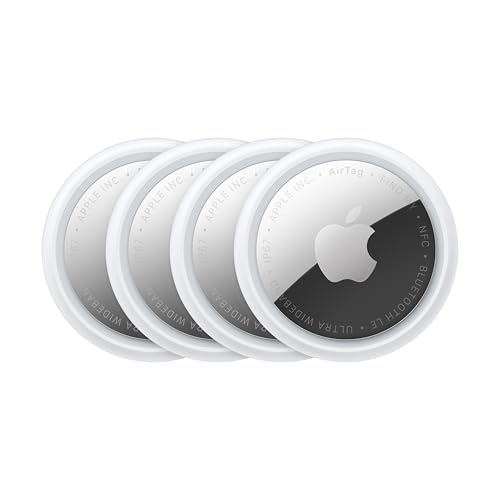
Pick this alternative if you want Apple's native tracker with Precision Finding directional range.
Read our review →
Pick this alternative if you need cross-platform compatibility across both iOS and Android devices.
Check price on Amazon ↗
Pick this alternative if you need a slim tracking card for wallets and passport holders.
Check price on Amazon ↗
Pick this alternative if you only need a two-pack of tags whose listing title says waterproof.
Check price on Amazon ↗Frequently Asked Questions
Does the UGREEN FineTrack tracker work with Android phones?
No, Android devices are not supported. The listing specifies that this tracking tag operates exclusively with iOS hardware through the Apple Find My application. Android users must look for cross-platform alternatives.
How do you pair the UGREEN tracker in the Find My app?
You pair the tag by opening the Apple Find My app on an iPhone or iPad, selecting the Items tab, and choosing Other Supported Item. The listing says not to select Add AirTag during pairing.
Can I set up the UGREEN FineTrack using my MacBook?
No, you cannot pair the tracker directly with a MacBook. While MacBook users can view location information on macOS after setup is complete, initial pairing requires an iPhone or iPad.
How long does the battery last and is it replaceable?
UGREEN's listing claims the replaceable battery lasts up to two years. When the battery depletes, you can replace the cell yourself, and the listing cites UL 4200A-compliant battery safety features.
What happens if my luggage is lost out of Bluetooth range?
The listing says the app sends a lost alert with the last known location when the tag moves out of range. It also says that once a tag is confirmed lost, you can activate Lost Mode and leave contact details so nearby Apple devices can help locate it.
How loud is the alarm on the UGREEN FineTrack tag?
The listing says tapping Play Sound in the Apple Find My app activates a 100dB alarm when the tag is nearby. It gives no test conditions. The alarm can help you locate items hidden nearby in rooms or luggage.
Compare & Decide
Use this with your packing list
As an Amazon Associate, Trecklist may earn from qualifying purchases. Every spec above comes from the manufacturer listing; the verdict is ours.